
Born from a group chat
Your events, finally in one place.
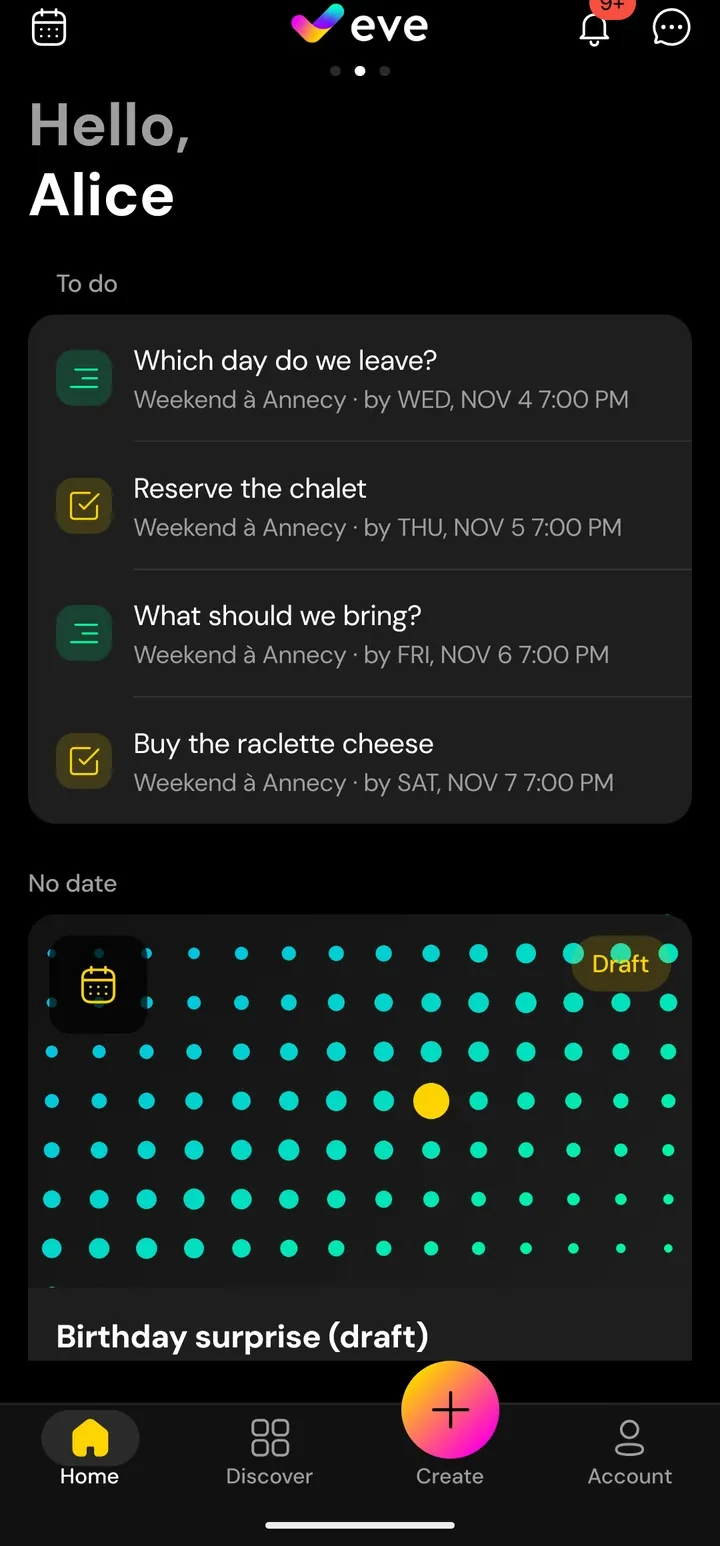
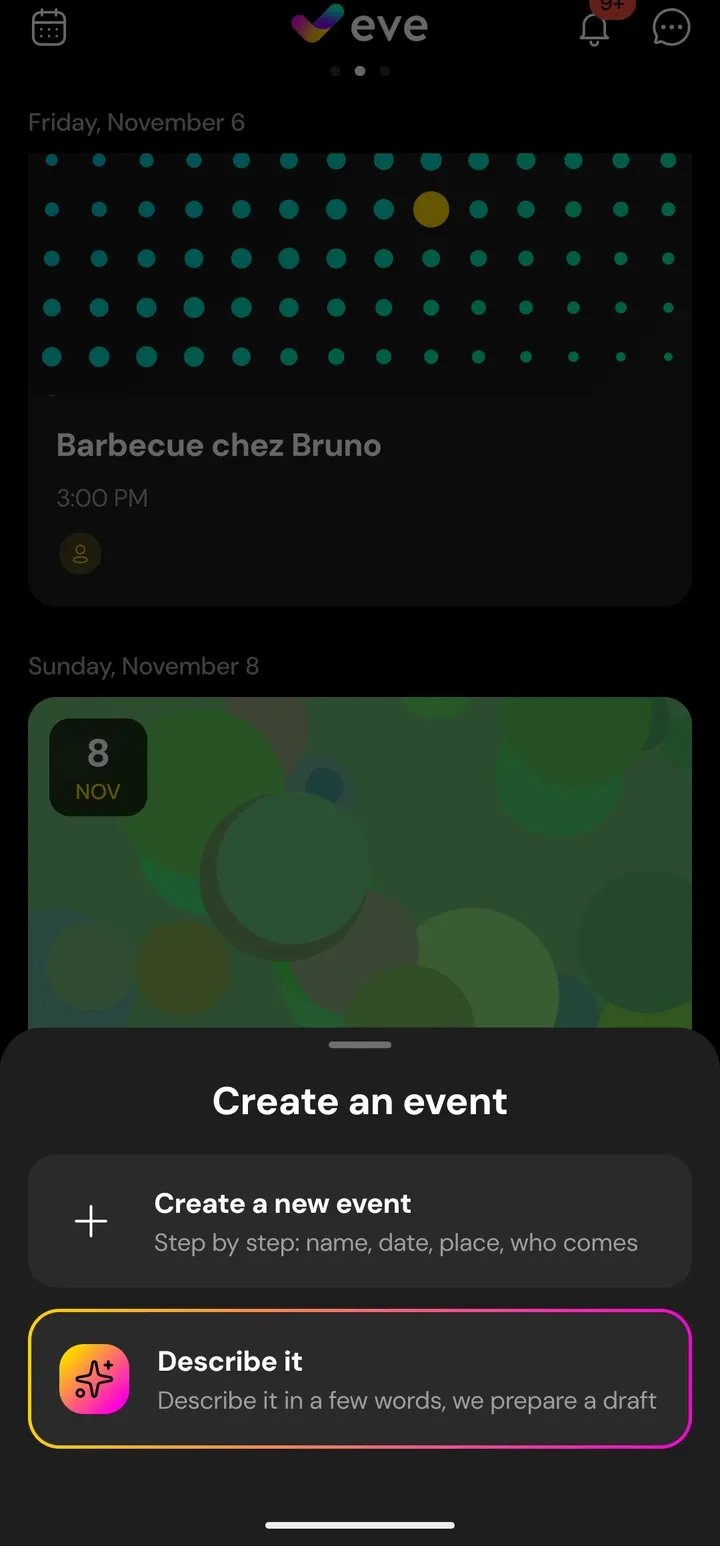
Invitations, chat, tasks, polls, carpooling and shared expenses, for a barbecue or a weekly training session. Describe your plan in one sentence and Eve prepares a draft.
- Coming soon on the App Store
- Coming soon on Google Play
For iPhone and Android. For people aged 16 and over.

A group chat is made for talking, not for organising.
The date gets buried
Between photos and jokes, nobody can find when and where.
The poll is nowhere
Votes scatter across messages and nobody knows what was decided.
Who brings what?
Who drives, who owes whom, who is actually coming: the answer is somewhere further up the chat.
We organised our training sessions in a group chat and kept losing track of everything. So we built what a group chat can't be: one place for the whole event.
Everything in one place
Turn on only the modules your event needs.
Events
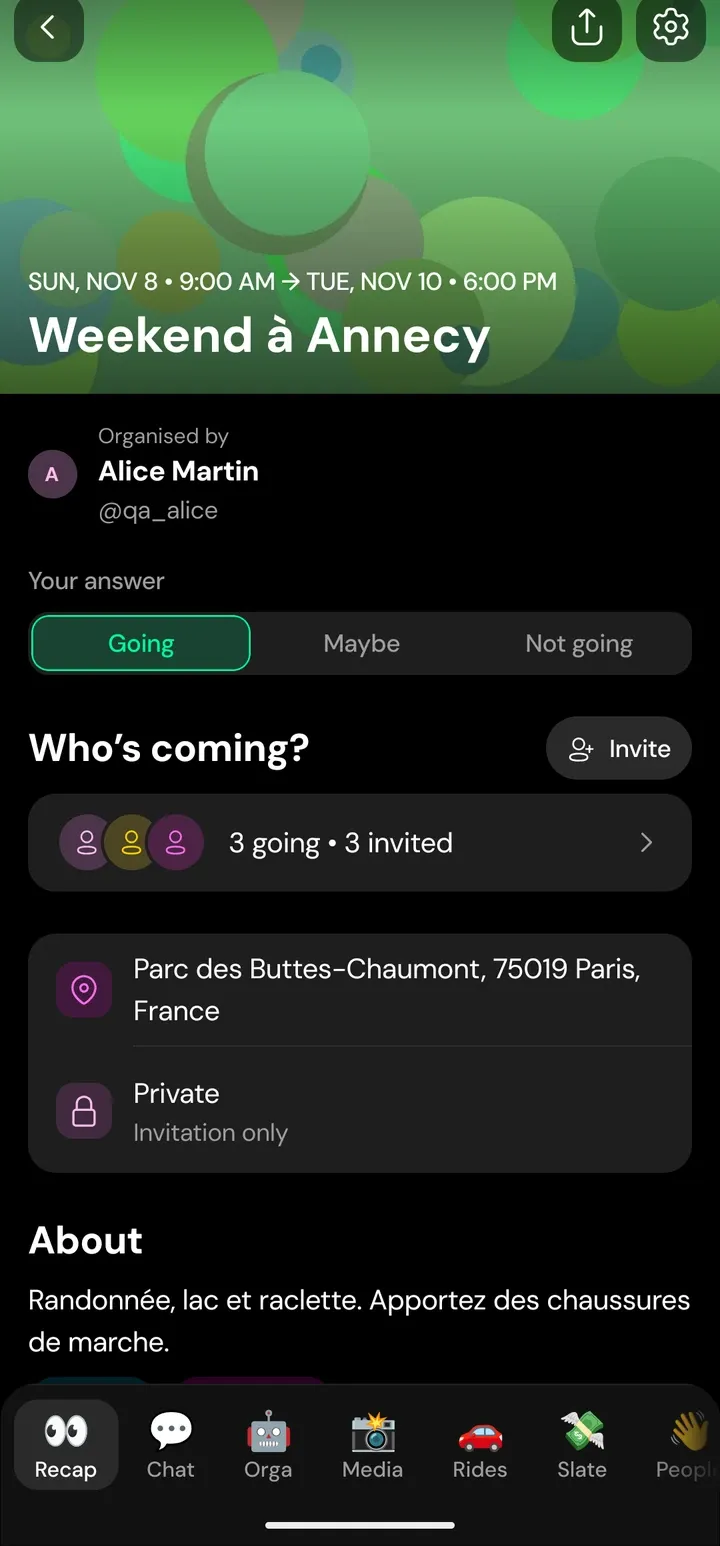
Private, friends of participants or public. Answer yes, no or maybe and see who is coming. Calendar and archive included.
Chat
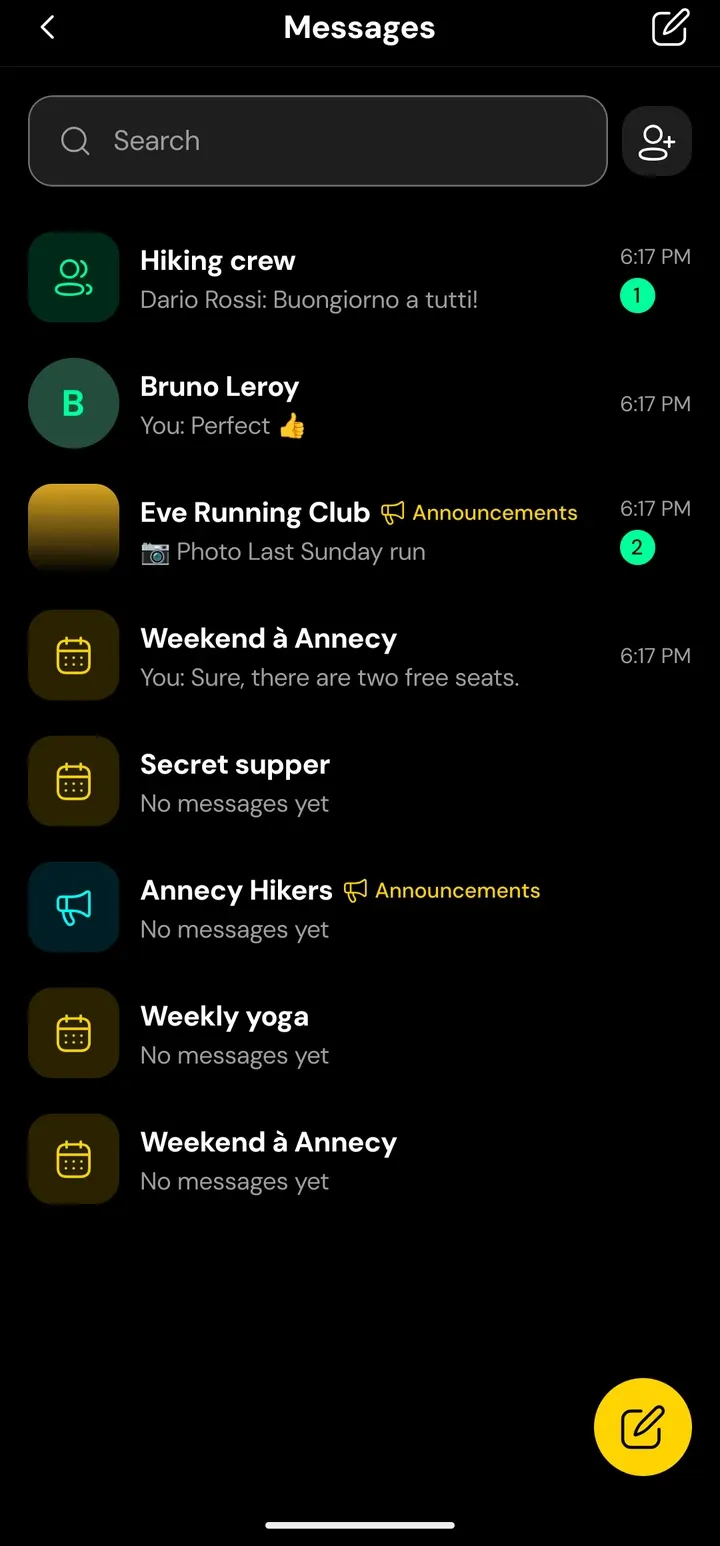
Text, photos, videos and voice messages, right inside the event.
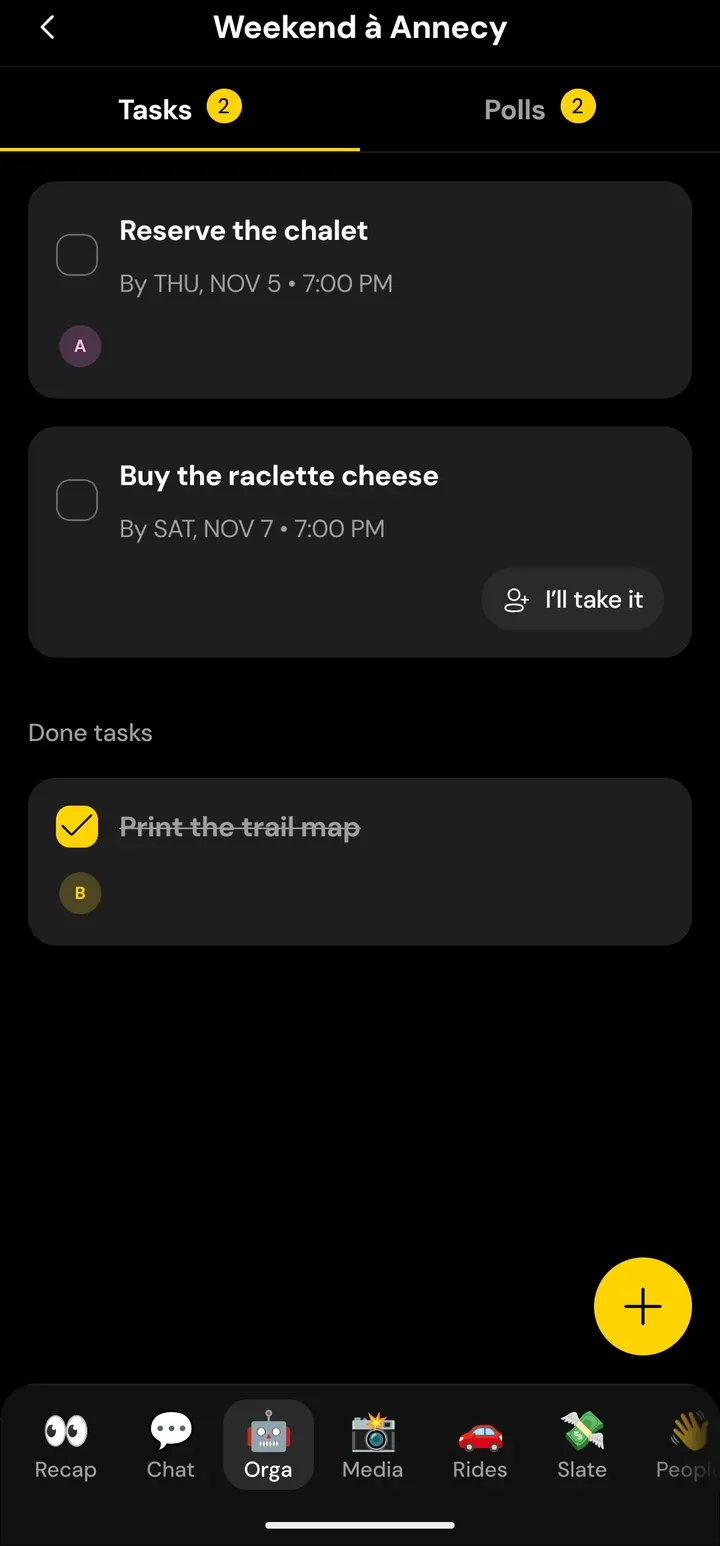
Tasks
Put a name on every task. Everyone sees what is done and what is left.
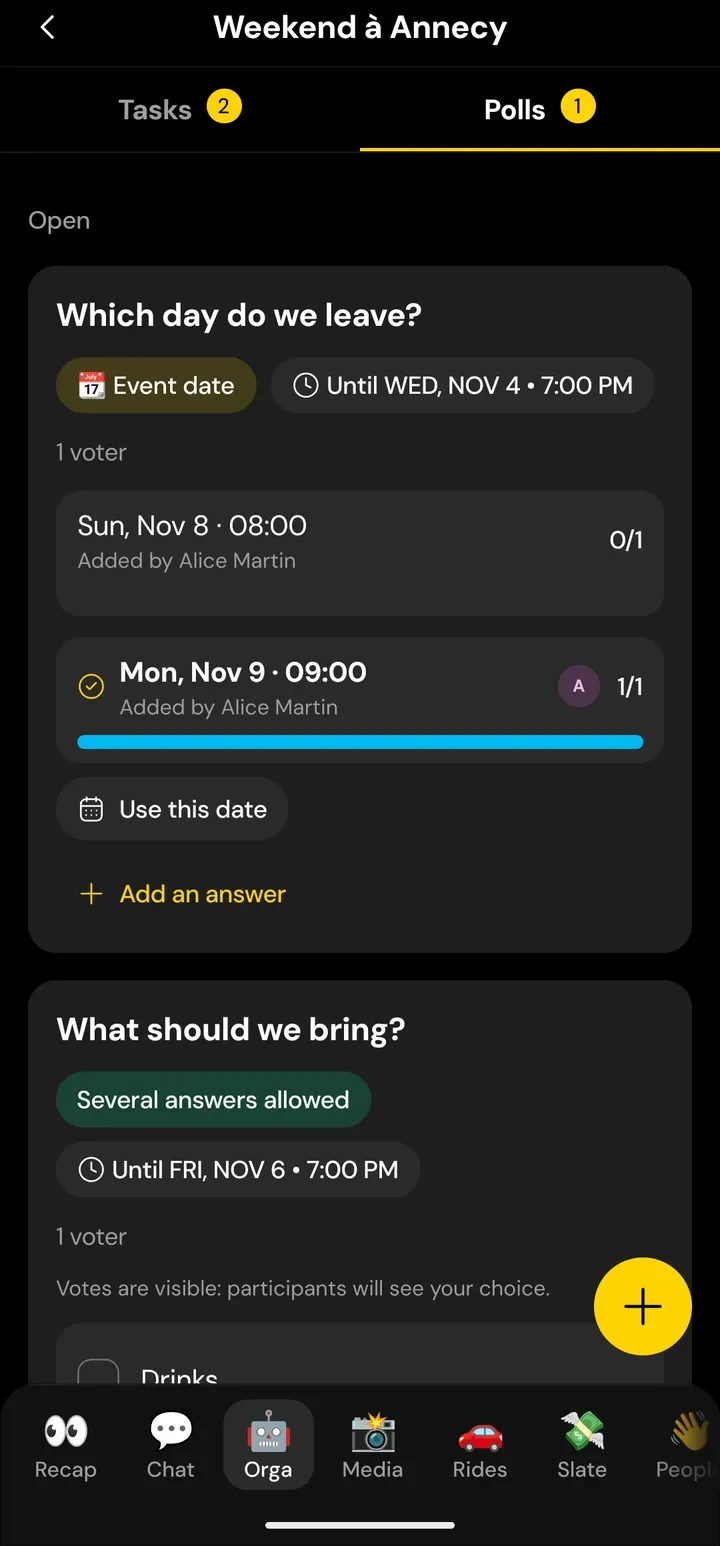
Polls
Ask the group anything, pick the day with a date poll, or choose between pictures.
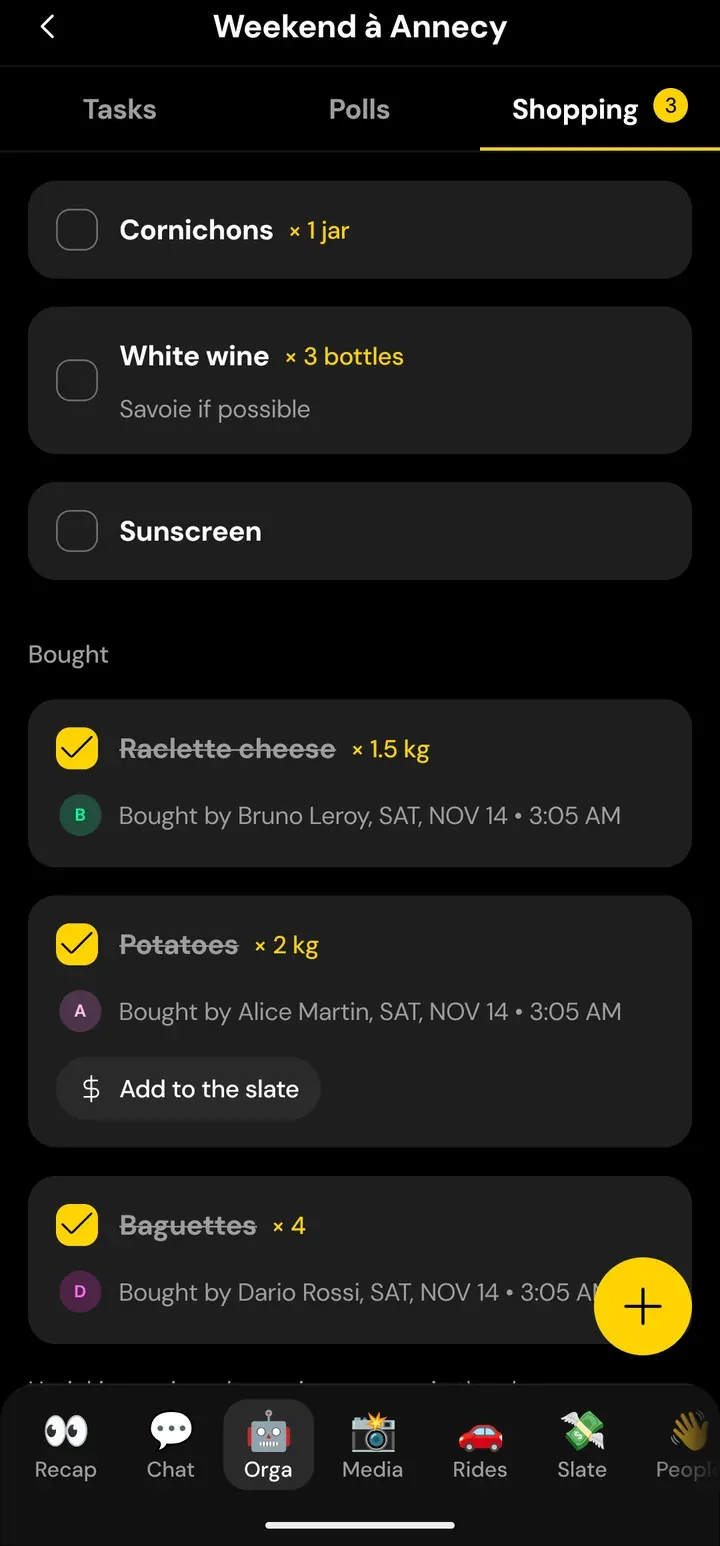
Shopping list
List what to buy and see who picked it up.
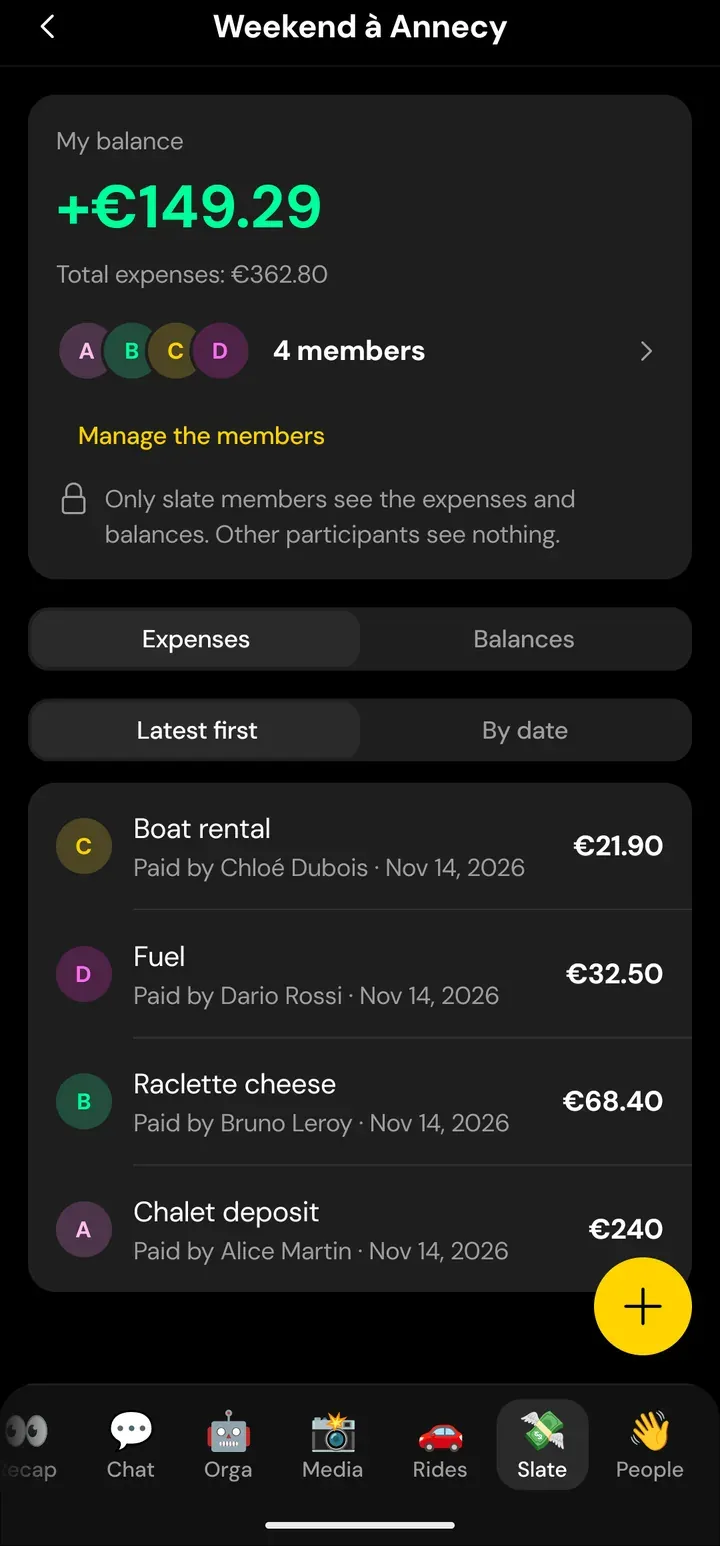
Slate
Track shared expenses and see who owes whom. No payment goes through Eve.
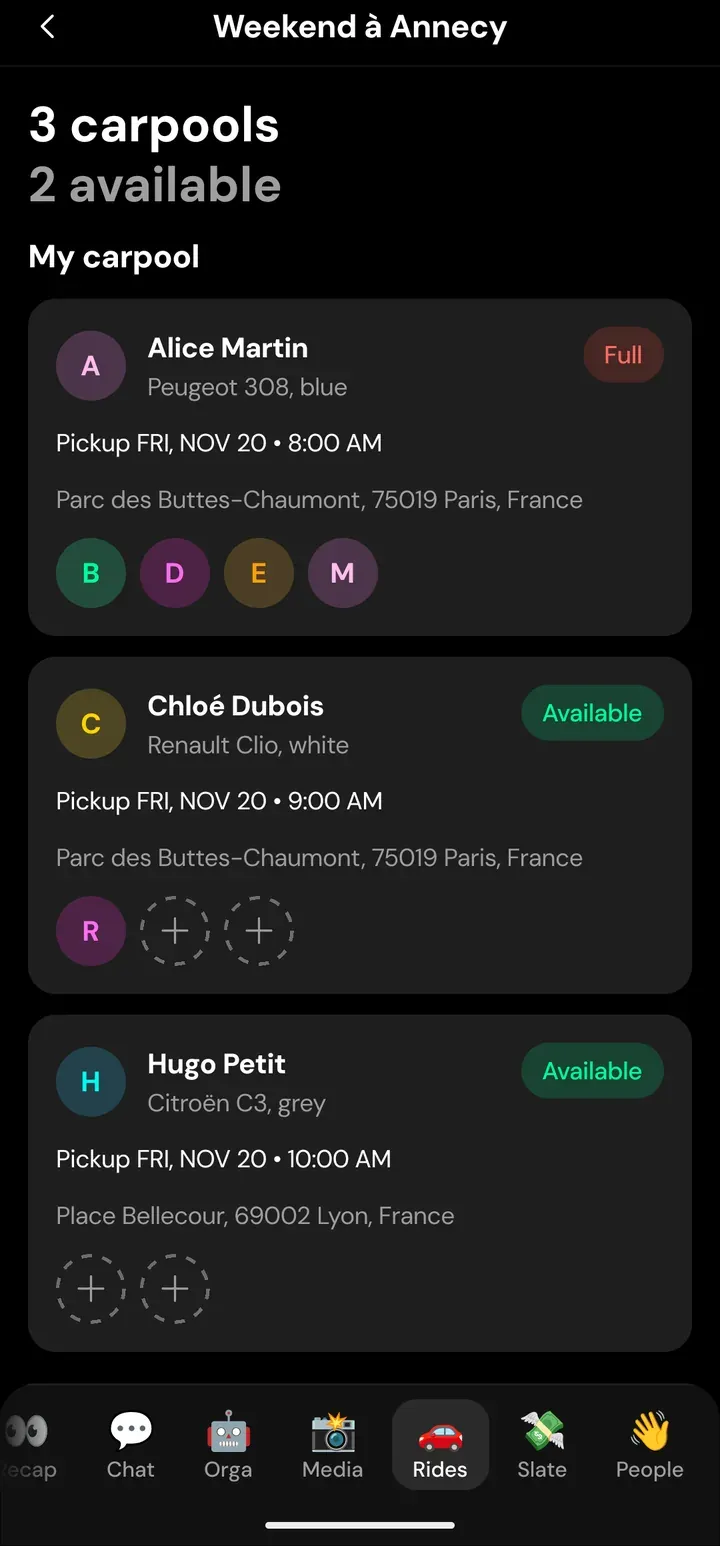
Carpooling
Offer seats and see at a glance who fills them. Free rides only.
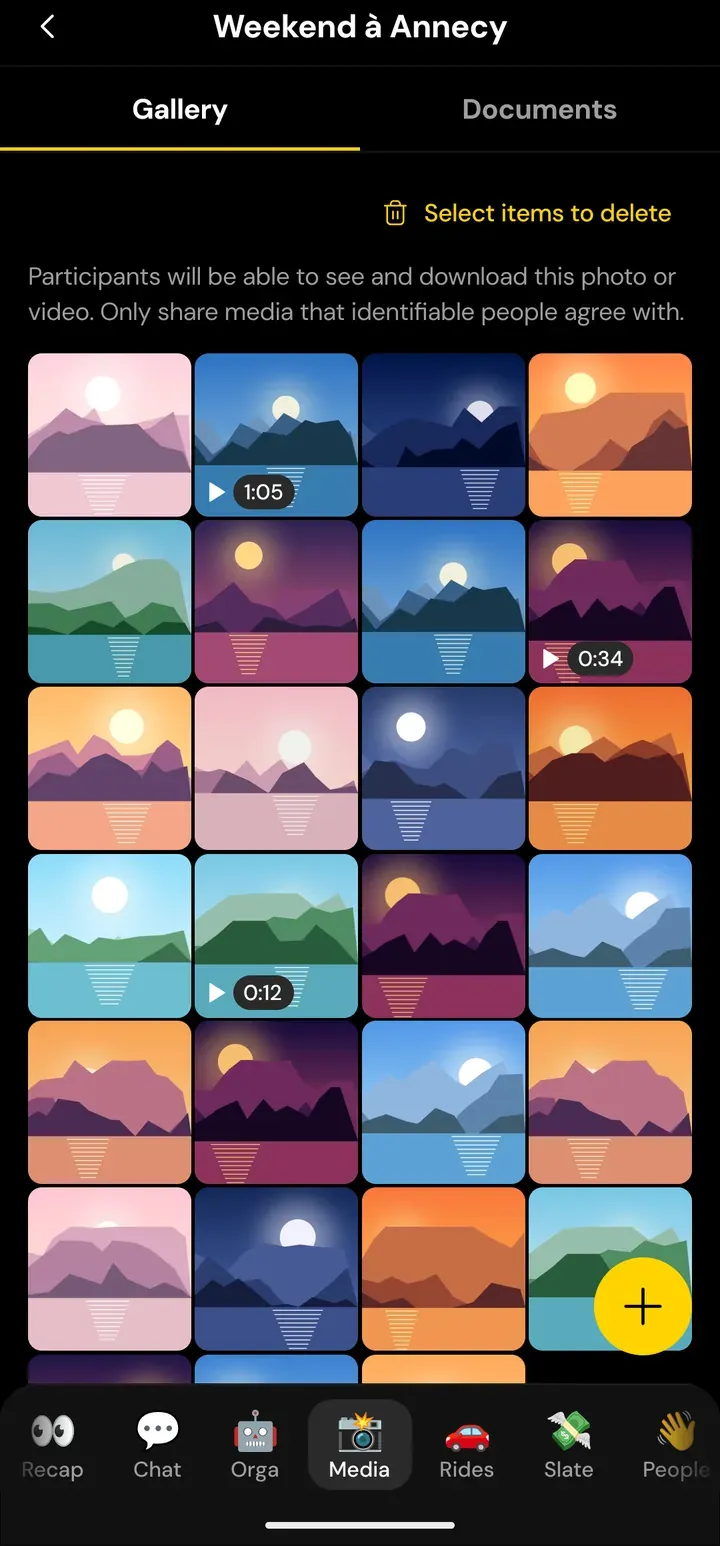
Gallery and documents
Photos, videos, tickets and PDFs, shared once and easy to find.
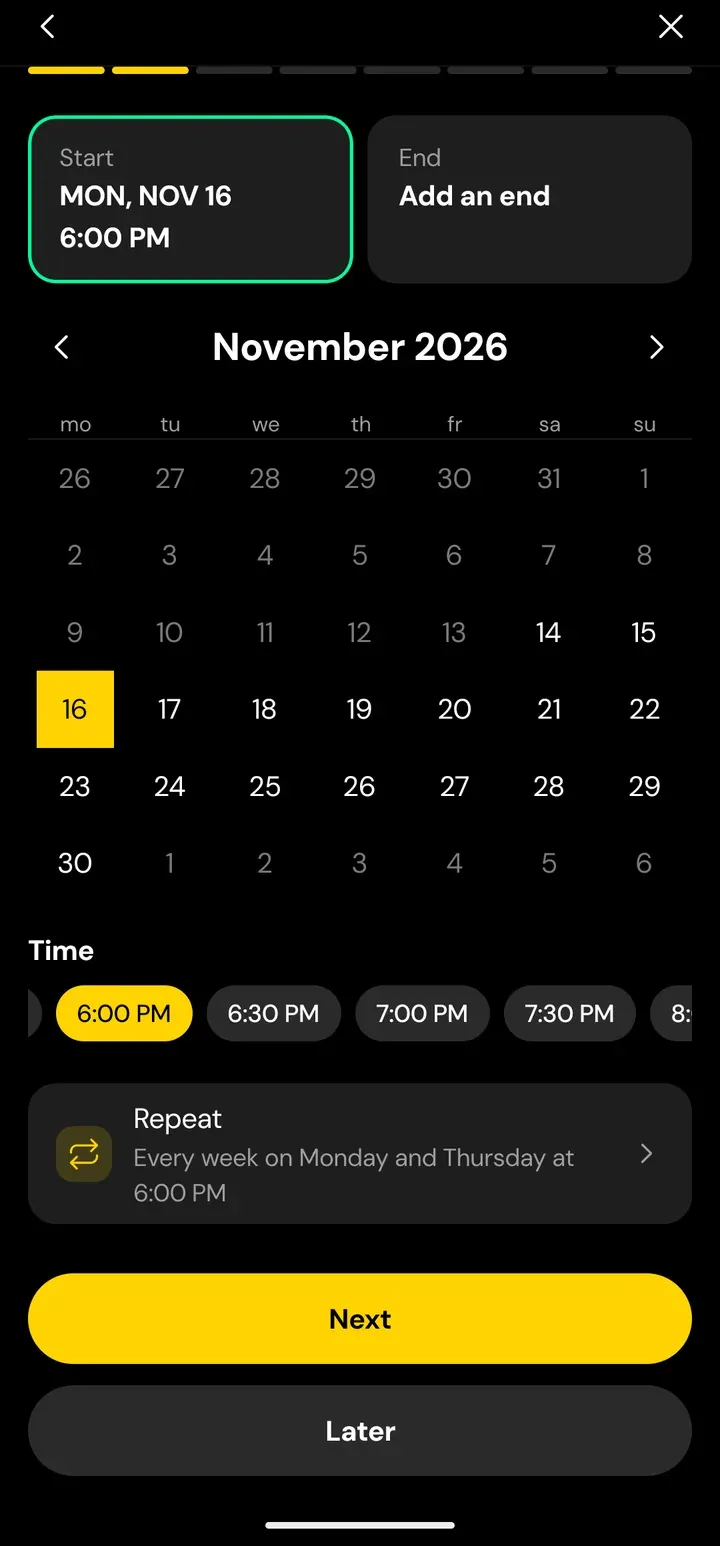
Recurring events
Every Monday and Thursday at 6 pm? Set it once and Eve prepares the next dates.
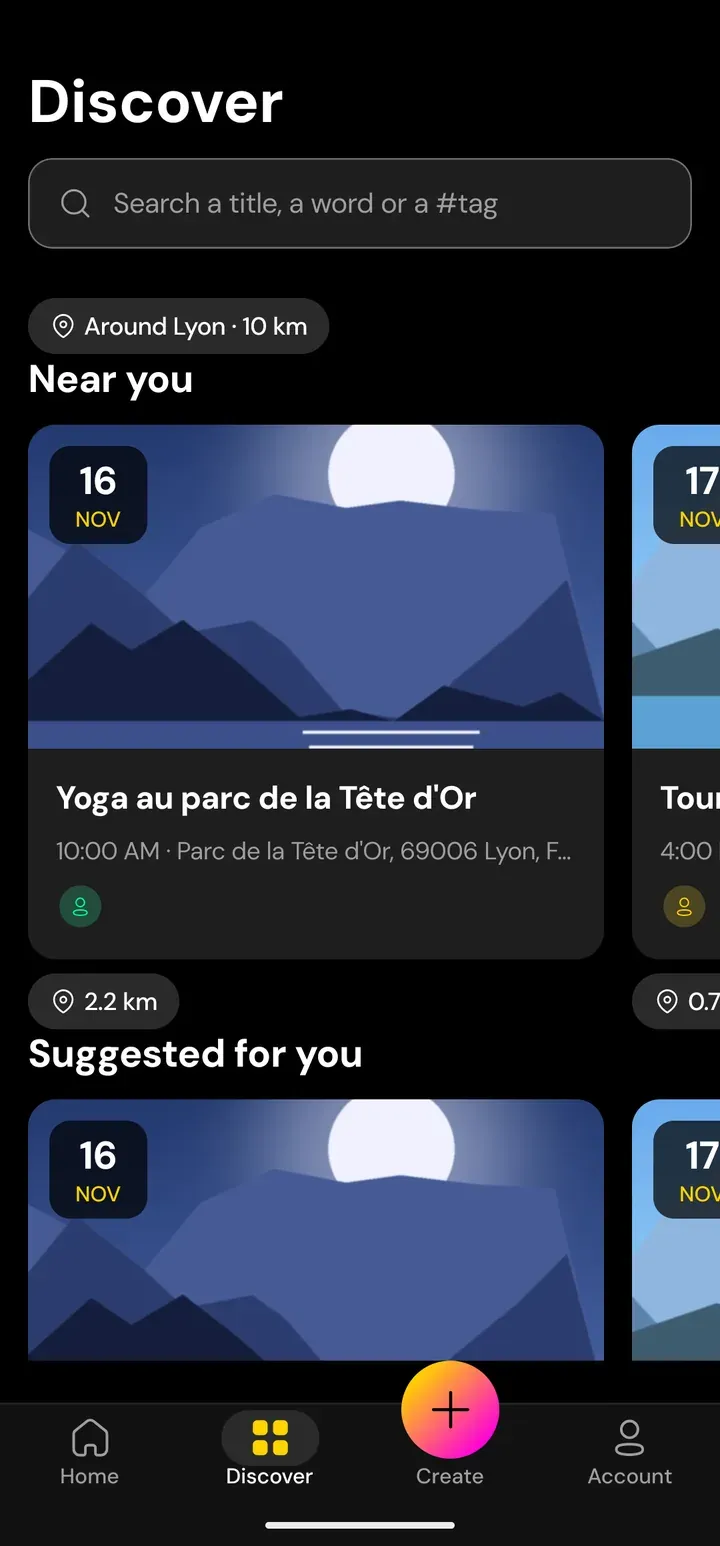
Discover
Find public events near you and the ones your friends join. Pick your radius or another city.
No signal? Events you have opened stay readable offline.
From idea to plan in three steps
Create
Describe your event in one sentence, or build it step by step. Eve's AI assistant prepares a draft that you review, edit and publish. It never acts on its own.
"A barbecue on Saturday at my place"
Invite
Invite friends in the app or share an invitation link. You decide who sees the event: private, friends of participants or public.
Organise together
Tasks, polls, rides and expenses live on the event page. Everyone can find everything without scrolling back.
Open the event. Everything is there.
For coaches, clubs and associations
Give your group a home: a community page, followers, and events that come back every week.
Announcement channel
Post one-way announcements to all your followers: text, photos, videos, voice messages, links, even a poll.
Events for your followers
Open to everyone, only to followers, or only to your admins. Weekly sessions repeat on their own.
Community mode
Switch between your personal account and your community in one tap. Each has its own look.

Your circle, your rules
Your number stays yours
Eve never shows your phone number to other users. Someone sees it only if it is already in their own contacts.
Contacts are optional
Contact sync is your choice. Eve never receives your contacts' names, or their phone numbers in readable form.
No ads
No advertising and no analytics tools in the app.
Designed with your privacy in mind
Eve's servers and database are in the European Union. You can delete your account from the app.
You decide who sees what
Private, friends of participants or public. Block people and report profiles, events and messages at any time.
16 and over
Eve is made for people aged 16 and over.
Your next plan starts here
Eve is coming soon to iOS and Android. A web version is planned too.
- Coming soon on the App Store
- Coming soon on Google Play